

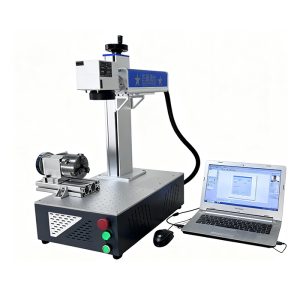
The parameter adjustment of ultraviolet laser marking machines is a core step to ensure the marking effect and quality. It requires comprehensive adjustment based on material properties, marking depth, and speed requirements. The key parameters include laser power, scanning speed, frequency, fill spacing, and pulse width, which need to be optimized specifically for different materials and process scenarios. The following are the specific parameter adjustment steps and scenario classification guidance:
1. Laser Power Adjustment
Laser power directly affects the marking depth and speed. When adjusting, follow the principle of “small power test marking → gradually increase”:
For metal materials (such as stainless steel, aluminum alloy): The initial power is recommended to be set at 30%-50%, and gradually increase it until the marking depth is clear and the material is not burned through;
For non-metal materials (such as plastic, glass, ceramic): The power should be controlled at 10%-30%, as excessive power can cause material deformation or surface carbonization;
For thin materials (such as films under 0.1mm): The power should be below 10% to avoid penetration.
2. Scanning Speed Adjustment
Scanning speed and power need to be adjusted in coordination. The faster the speed, the lower the energy absorbed per unit area.
For high-speed marking scenarios (such as assembly line operations): The scanning speed can be adjusted to 500-1000mm/s, and the power should be increased to 50%-80%;
For fine marking scenarios (such as text, QR codes): The scanning speed should be reduced to 100-300mm/s, and the power controlled at 30%-50% to ensure clear edges;
For three-dimensional curved surface marking: The speed should be further reduced to 50-100mm/s to avoid inconsistent surface patterns due to uneven energy distribution on the curved surface.
3. Frequency and Pulse Width Optimization
Frequency determines the repetition rate of laser pulses, and pulse width affects the duration of single energy release:
For hard materials (such as metals): The frequency is recommended to be set at 20-50kHz, and the pulse width at 3-10ns, using high-frequency short pulses to reduce the heat-affected zone;
For soft materials (such as rubber, leather): The frequency can be adjusted to 50-100kHz, and the pulse width shortened to 1-5ns to prevent excessive melting of the material;
For transparent materials (such as glass, crystal): The frequency should be below 20kHz, and the pulse width extended to 10-20ns to ensure that the laser energy fully penetrates and forms internal micro-cracks.
4. Fill and Scan Spacing Settings
The fill method (such as unidirectional, bidirectional, circular) and scan spacing directly affect the coverage and uniformity of the marking area:
For small-area filling (such as text, icons): The scan spacing is recommended to be set at 0.01-0.03mm to ensure no filling omissions;
For large-area filling (such as background patterns): The spacing can be expanded to 0.05-0.1mm to improve efficiency;
For spiral fill mode: It is suitable for circular or arc-shaped areas, and the spacing needs to be adjusted according to the radius. The smaller the radius, the smaller the spacing should be.