

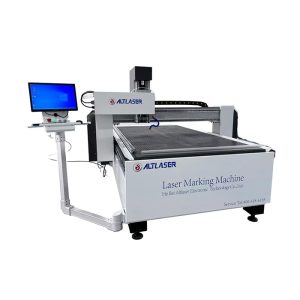
I. Laser Issues
Laser fails to turn on
If the laser cannot be started or emits no laser beam after being powered on, the power cord may be improperly connected or there is a fault inside the laser. Check the power cord connection and contact after-sales personnel for maintenance to restore normal operation of the laser.
Unstable laser beam
If the laser beam becomes unstable after startup, there may be faults in the optical path system or the laser interior. Inspect connections of the optical path system, clean optical lenses and adjust internal laser parameters to keep the beam stable.
II. Circuit Board Issues
Circuit board power failure
If the glass laser sandblasting machine does not respond, the circuit board may not be powered on. Check the power cord connection and confirm the power switch is in the ON position.
Incorrect controller connection
Malfunction of the machine may result from faulty controller wiring. Examine all controller connections and make sure all cables are fully plugged in without looseness.
III. Software Issues
Incorrect settings in control software
If the machine runs abnormally or produces incomplete engravings, the control software may have wrong configurations. Verify and correct all parameter settings in the software.
Operating system compatibility issues
Abnormal operation can also be caused by incompatibility between the device software and the current operating system. Check whether the dedicated software of the engraving machine is compatible with your system.
As analyzed above, the glass laser sandblasting machine may stop working due to various reasons, and corresponding solutions are available for each fault. With careful troubleshooting and proper handling, the machine can resume normal operation.